Sites
Overview
Sites is the administrator's mobile catalog of locations. Search by name or address, filter by Public or Private visibility, pull down to refresh, and select a site to open its details.
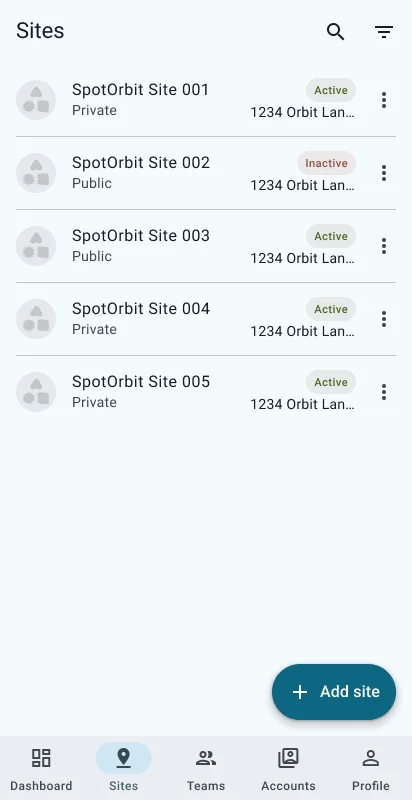
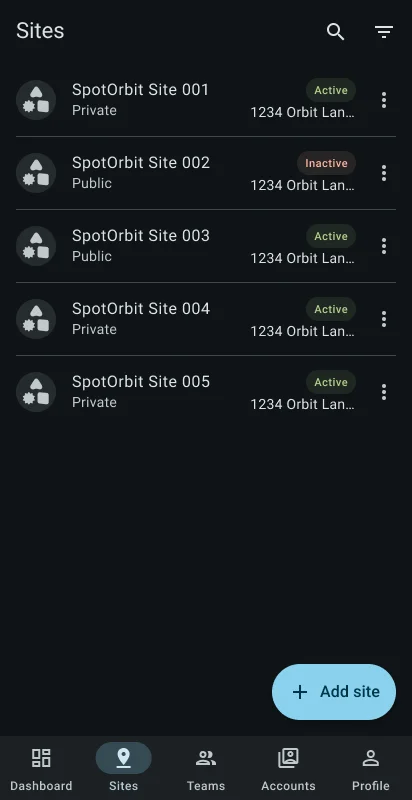
The add button opens the site form. A site's action sheet offers Edit and Archive or Restore. Opening the site provides site information and operational areas for reservations, payments, devices, and videos.
Manage a site
Find the location
Open search to match its name or address, or apply the Public or Private filter.
Open or create a site
Select a site for details, or use Add site and complete the required form fields.
Edit site information
Open the site's actions and select Edit, then review the current values before saving.
Change lifecycle when required
Choose Archive or Restore and confirm. Archiving hides the site from active operations while retaining its history.
Frequently asked questions (FAQ)
It matches the loaded site's name or address.
The mobile catalog can show all sites, only Private sites, or only Public sites.
Current routes include site information plus reservations, payments, devices, and videos with their details.
Related content
- Administrator dashboard — Review the current site's overview.
- Teams — Manage membership for the current site.
- Accounts — Assign platform roles and site access.
- Admin web sites — Use the full web site-management workspace.